Blog ·
October SAT Scores: Check the Date, Account and Phone Plan
October 3, 2026 SAT scores are scheduled for October 16. Find the correct release row and student account, then plan the phone's next job.
On this page7 sections
If your student took the SAT on October 3, the next date to put on the family calendar is October 16, 2026. Before that check, agree on which account they will open and what they want to do with the phone afterward. That leaves one less decision to make while looking for the result.
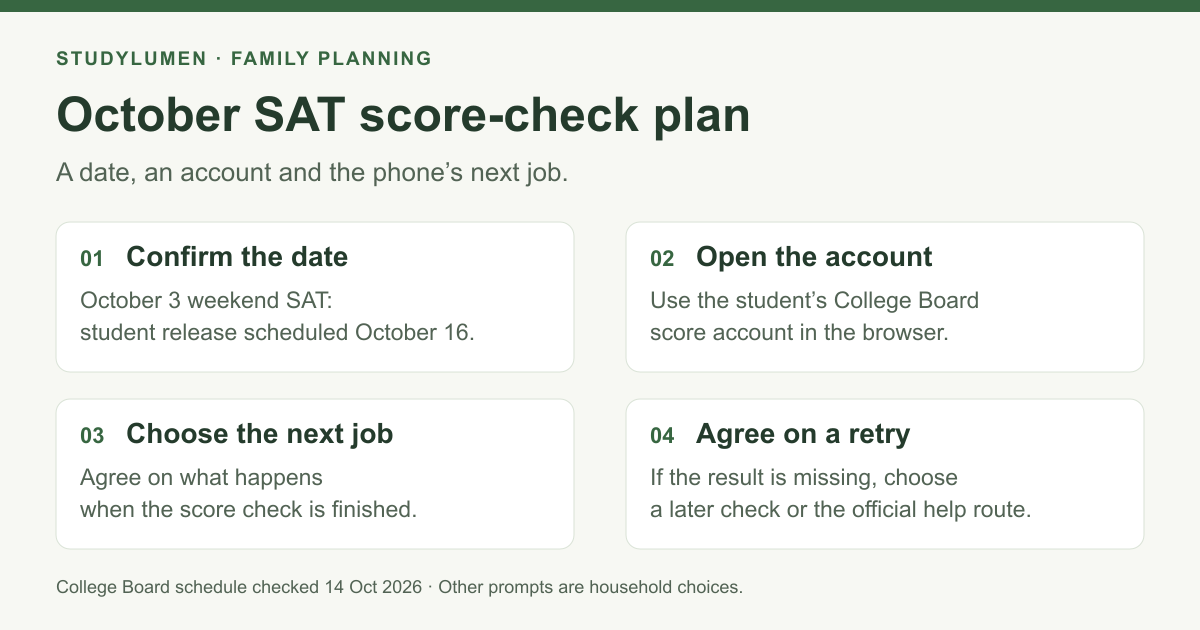
October 3 SAT scores are scheduled for October 16
College Board's fall 2026 weekend schedule lists October 16 for student scores from the October 3 test. The educator score portal has a separate date: October 19.
Treat the student date as the schedule for that assessment. It does not guarantee that an individual student's result will appear at a particular minute. The row gives no release clock time.
Match the release date to the assessment
Check whether the student took the weekend SAT or an assessment through school. College Board's test-date page covers US and international weekend testers. Its fall school testing window is October 1–30, 2026, for SAT School Day, PSAT/NMSQT and PSAT 8/9.
For in-school testing, ask the school which answer-submission cutoff applies. That is the column used in the current in-school score schedule, rather than simply the day the student sat the test.
- Assessment
- Weekend SAT
- Relevant date or cutoff
- Test taken October 3, 2026
- Scheduled student release
- October 16, 2026
- Assessment
- In-school SAT or PSAT
- Relevant date or cutoff
- Answers submitted by October 9, 2026
- Scheduled student release
- October 22, 2026
- Assessment
- In-school SAT or PSAT
- Relevant date or cutoff
- Answers submitted by October 23, 2026
- Scheduled student release
- November 5, 2026
- Assessment
- In-school SAT or PSAT
- Relevant date or cutoff
- Answers submitted by October 30, 2026
- Scheduled student release
- November 12, 2026
| Assessment | Relevant date or cutoff | Scheduled student release |
|---|---|---|
| Weekend SAT | Test taken October 3, 2026 | October 16, 2026 |
| In-school SAT or PSAT | Answers submitted by October 9, 2026 | October 22, 2026 |
| In-school SAT or PSAT | Answers submitted by October 23, 2026 | November 5, 2026 |
| In-school SAT or PSAT | Answers submitted by October 30, 2026 | November 12, 2026 |
These are student release dates. Educator portal access and electronic report exports have their own columns. For an assessment administered through a state testing program, College Board says to confirm availability with the state.
Open the student's score account
College Board's weekend-score instructions describe this route for students aged 13 or older:
- Open the Student Score Report homepage linked in those instructions.
- Sign in to the student's College Board account.
- Look for the most recent result at the top. The score-report PDF is available there too.
The account belongs to the student, even if a parent helped create it. The help page describes the age-13-or-older route; it does not establish that younger testers cannot access a score. Ask College Board about a route outside the instructions' stated scope.
For school assessments, the educator page also explains how schools share score-report PDFs. BigFuture School is another documented route for US students aged 13 or older who took an in-school assessment and supplied a mobile number during testing. Use the school assessment's instructions for that path.
If the score is missing
Use College Board's help route before opening a new account. Its weekend-score page points to the Find Your Scores tool, where the student can check account information or look up a result with test details and the registration number. It also suggests checking for another student account that the student, parent or counselor may have created.
Agree on what happens while the result is unavailable: a later check, an account check or a question for the school. Keep the registration number in the official account process. The family phone plan only needs the next action.
Agree on the phone's next job
Write three lines together before opening the result:
- Check: Which assessment, which account and which device?
- After: What will the student do when they have finished checking?
- Retry: If the result is missing, when will they check again or ask for help?
The next job might be a conversation, a break or an existing study routine. Choose it together, along with the time needed for this check and the evening you have agreed.
Check access on the intended device too. Google's Family Link screen-time help describes daily limits for a supervised child's Android device or Chromebook, with limits available on Android 7 and up. Daily limits apply per device. A parent can add Bonus time for a short check without changing the daily limit, downtime or school-time schedule.
If the device is locked, Google says apps are unavailable except designated Unlimited time apps when that option is enabled. Android phones with a calling plan can still answer calls and use Emergency to make a call. Those exceptions do not establish that the browser is available; check the parent's settings on the actual device.
For the earlier test-day preparation task, see the exam-week phone plan.
Apply the plan on a supervised Android phone
When the next job is an existing study routine, StudyLumen's homework routine can apply one selected app rule set on a supervised Android device. Choose the browser's app rule explicitly: allowing a browser app gives access beyond one score page.
If a blocked app is needed longer, an approved temporary access request provides an exception until its recorded end time. That carries out the family's access decision; it does not sign in to College Board or read the score.
Sources
Primary guidance checked October 14, 2026. College Board's pages below describe the fall 2026 schedule and the relevant account routes; none shows a publication date for the retained guidance.
- SAT Suite score release dates, College Board.
- Getting your SAT weekend scores, College Board.
- In-school scores and the fall 2026 schedule, College Board.
- SAT Suite test dates and deadlines, College Board.
- Manage your child's screen time, Google Family Link.