Guide ·
Class Time or All Day? Check the School Phone Rule
A U.S. student survey asked separately about class-time and all-day phone bans. Check the school rule and record a separate homework app window.
On this page6 sections
A school phone notice leaves a family with practical questions. Does the rule cover lessons or the whole school day? How should a parent make contact? Which apps will homework need at home?
A newly released U.S. survey shows why the wording matters. Students answered differently when asked about phones during class and phones throughout the school day. Keep that distinction when reading the notice, and give the home app window its own line.
Ask what the school rule covers
Start with the school's current notice or ask its office to confirm the scope: when the restriction applies, where it applies and which devices it covers. A headline saying “phone ban” may leave those details out.
Ask for the school's published contact route as well. If an app is needed during school hours, the school can explain its procedure for that situation. A household app setting cannot settle a question about permission at school.
Two questions produced different answers
Hopelab and Data for Progress's survey brief, released on 20 October 2026, reports two separate questions about support for phone bans.
The figures below refer to 487 U.S. respondents who were in high school, surveyed from 24 June to 10 July 2026. Support and opposition each combine the strong and somewhat responses.
- Scope asked about
- When students are in class
- Support
- 64%
- Oppose
- 33%
- Don't know or declined
- 3%
- Scope asked about
- The entire school day
- Support
- 17%
- Oppose
- 80%
- Don't know or declined
- 3%
| Scope asked about | Support | Oppose | Don't know or declined |
|---|---|---|---|
| When students are in class | 64% | 33% | 3% |
| The entire school day | 17% | 80% | 3% |
Both rows describe opinions about a type of rule. They do not identify the policy at your child's school, and they should not be averaged into a single “ban support” figure.
The high-school group was part of a larger survey of 1,473 people ages 13–24. The researchers used an English-language web panel, recruited through demographic quotas and weighted to represent U.S. young people. The report also asked students which rules their schools had; those were student reports, rather than an audit of school policies.
The useful question for a family is the same one the comparison brings into view: which part of the school day does the rule cover? The survey describes opinions, while the school's own notice supplies the instruction to follow.
Put the school and home details on one card
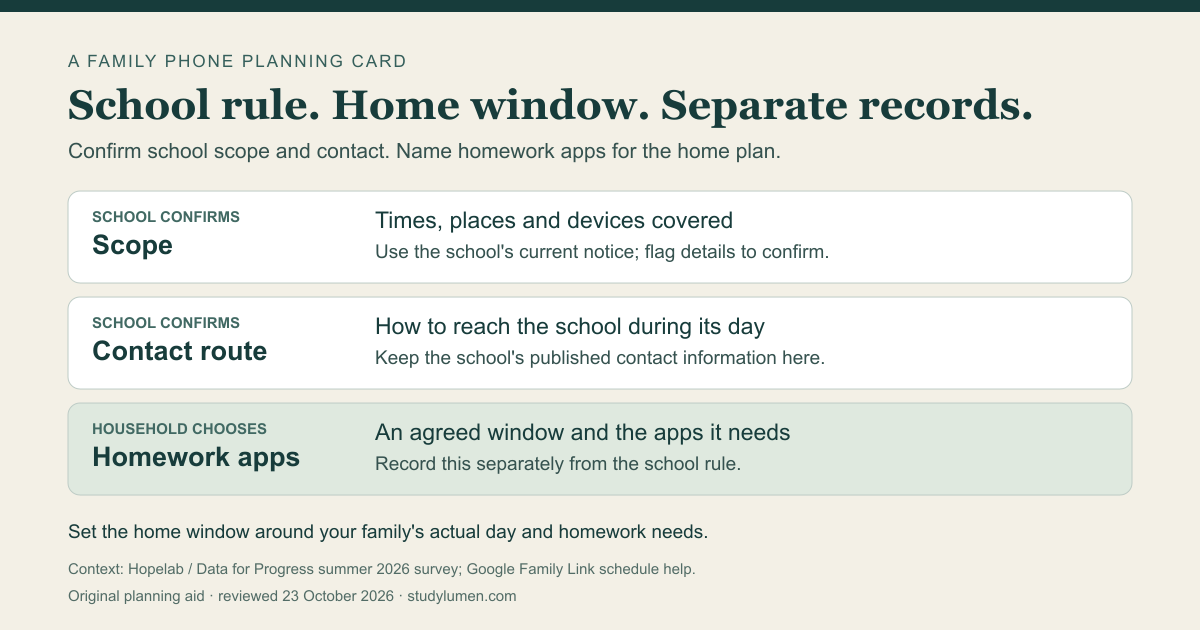
Use a short note with separate spaces for school instructions and the home plan. Each line should tell you who can confirm it.
- Record
- School scope
- Who confirms it
- The school
- What to write
- Times, places and devices covered by the current notice; mark anything still to confirm
- Record
- Contact during school
- Who confirms it
- The school
- What to write
- The published route for reaching the school or arranging contact with the student
- Record
- Homework at home
- Who confirms it
- The household
- What to write
- The agreed window on the personal phone and the apps the work needs
| Record | Who confirms it | What to write |
|---|---|---|
| School scope | The school | Times, places and devices covered by the current notice; mark anything still to confirm |
| Contact during school | The school | The published route for reaching the school or arranging contact with the student |
| Homework at home | The household | The agreed window on the personal phone and the apps the work needs |
An unknown school detail can be marked “confirm with school.” Keep its current published contact information with the note. Plan the home window around the family's actual day and the assignment's needs.
Review the phone's own schedule
Parents who use Family Link can review its schedule alongside the home line on the card. Google's schedule guide describes Downtime and School time on Android 7 and up. Parents can choose schedules with limited apps available and can allow Unlimited Apps during those periods.
A schedule named “School time” is a setting in Family Link; the school's notice still determines its own rule. For a school-managed device, ask the school about its controls. Use Google's current help guide when checking your account.
Carry the home line into a routine
On a supervised Android phone, a StudyLumen homework routine applies one selected app rule set during its scheduled window. Set the window for the agreed homework period and choose the app rules the work needs.
If an extra study app is needed, a temporary access request requires supervisor approval and ends at the grant's recorded end time. Approval changes StudyLumen's own access restriction. Check any other active controls through their own settings.
Sources
- Hopelab and Data for Progress survey brief. Question wording and high-school results on page 4; methods and sample on page 14.
- Hopelab release via PR Newswire. Public release dated 20 October 2026.
- Google: set a schedule on your child's device. Parent schedules, supported Android scope and app availability.