Blog ·
Printer, Portal, Calculator: Name Tonight's Always-On Tools
Choose the apps and sites that stay available during homework. See how Apple Ask to Browse and Family Link handle portals, calculators, and printer pages.
On this page6 sections
The worksheet is open, but the teacher's printer instructions sit behind a blocked site. The calculator works; the class portal does not. A parent starts changing settings while homework waits.
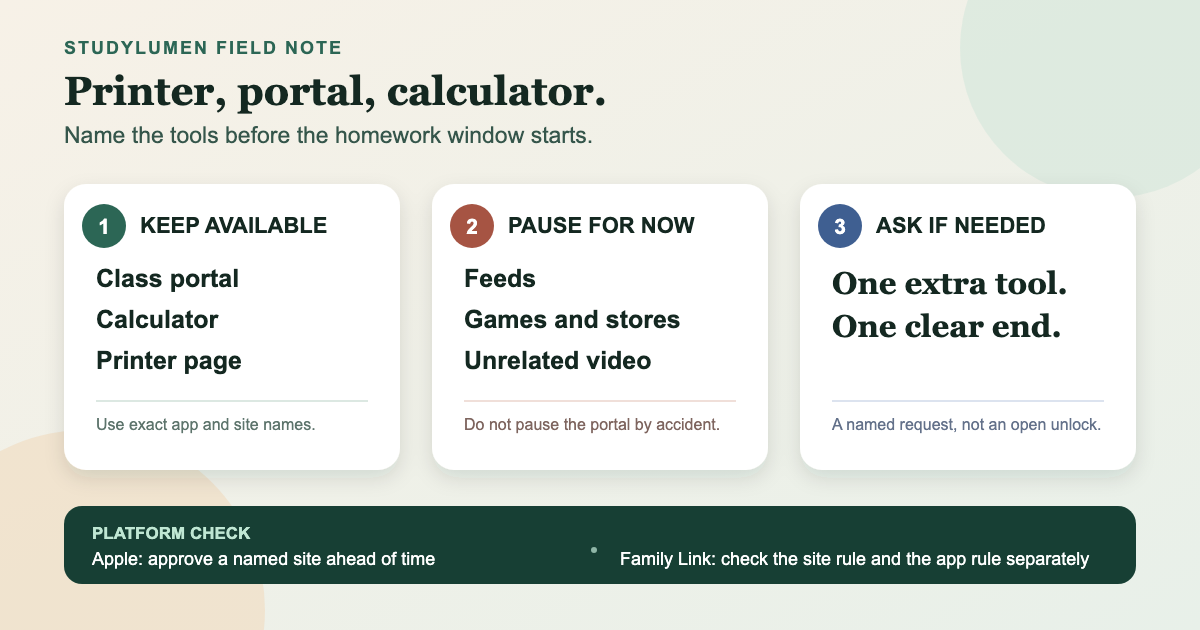
Leaving the whole browser open would solve the next minute and create a different problem for the rest of the evening. A smaller answer is to name what the assignment actually needs: the portal, the calculator, and the printer page.
The assignment names tools, not categories
“Education” sounds precise until it includes a video feed, a general browser, three cloud drives, and every app with a school login. The assignment is usually narrower.
Write the exact names a student would look for on the screen:
- the class portal or learning-management site;
- the calculator app or calculator site the teacher permits; and
- the printer utility, PDF page, or upload link needed to hand in the work.
A dictionary or graphing app may replace one of those. Three is a useful starting point, not a rule every household has to obey. The important move is from a broad label to tools you can recognize and test.
Before homework begins, open each one far enough to catch a sign-in loop, a missing subdomain, or a printer page that hands off to another app. That short check is easier than rebuilding the rule while the assignment is already under way.
Apple can approve the portal before the request arrives
Apple released its updated Screen Time controls on September 14, 2026. In Apple's description, Ask to Browse requires approval before a child opens a new website in Safari or another supported browser app. A parent can also allow a website in advance—Apple uses a school-project site as its example.
For tonight's assignment, that means the class portal can be approved before the student reaches it. If a different research site appears later, that site can arrive as a request instead of turning into a standing exception for the open web.
Apple says Ask to Browse and Ask to Buy are on by default for children under 13, while Limit Adult Websites is on by default for children under 18. Availability and age-based settings can vary by location. The updated controls also require every device in the Family Sharing group to run version 27 software, followed by a parental-controls update from the organizer or another parent or guardian. A family that cannot update every device can keep using the previous Screen Time controls.
The same release added Time Allowances, which set a daily budget across app categories and can then adjust individual categories. That clock answers “how long?” It does not decide whether tonight's printer page belongs beside the worksheet.
Family Link separates the website from the app
Google divides this job across two controls on a Family Link–supervised Android device.
For websites, Family Link can allow all sites except named blocks, try to block explicit sites, or allow only approved sites in Chrome and some Android apps. Google cautions that no filter is perfect. A blocked page can prompt Ask in person on an Android device or Chromebook, or Ask in a message through the Family Link app.
The address matters. Google treats one website and a whole domain differently, so approving the portal's main page may not cover a sign-in or media subdomain. Other browsers can also fall outside the Chrome setting. The practical test is the complete path from login to the page the assignment needs, not the portal's home screen alone.
Apps use a separate list. An app marked Unlimited time does not count toward the Daily Limit and remains available after that limit is reached. It can also be allowed during Downtime or School Time. That is useful for a calculator; it is much broader than a single homework window if a video or social app receives the same status. Google limits Unlimited time support to supervised Android 7+ devices that are not running Google Kids Space.
This is why an app rule cannot stand in for a website rule. Blocking a social app does not close its website in Chrome, and approving the browser does not identify which sites should remain available. The app-and-site guide walks through that split in more detail.
Put tonight's rule on one small card
The card should still make sense if the phone is off. It records the household decision before anyone translates it into Apple, Google, or another tool.
A three-part homework access card
- Decision
- Keep available
- Write on the card
- Class portal, calculator, printer page or utility
- Watch for
- Broad labels such as “Chrome” or “school apps”
- Decision
- Pause for this window
- Write on the card
- Feeds, games, stores, and unrelated video
- Watch for
- Pausing the browser that also carries the portal
- Decision
- Ask when needed
- Write on the card
- One missing app or site, with a clear end
- Watch for
- An open-ended unlock “until homework is done”
| Decision | Write on the card | Watch for |
|---|---|---|
| Keep available | Class portal, calculator, printer page or utility | Broad labels such as “Chrome” or “school apps” |
| Pause for this window | Feeds, games, stores, and unrelated video | Pausing the browser that also carries the portal |
| Ask when needed | One missing app or site, with a clear end | An open-ended unlock “until homework is done” |
Suppose the teacher adds a documentary clip. The card does not have to pretend the clip was planned. It gives the family a clean question: does this one site belong in today's work, and when should the exception end?
The answer may be yes. A named exception is not a failure of the plan; it is how a narrow plan handles an assignment that changed.
If the card needs device support
Paper may be enough. When the same window needs to repeat on a supervised personal Android, a StudyLumen routine applies the one rule set its supervisor selected. Put the required Android apps in that rule set. If optional website filtering is turned on, add the portal domain as well. A temporary access request can cover one extra app or domain and closes at its recorded end time; the temporary-access guide explains that flow.
StudyLumen does not run Apple's Screen Time controls, replace Family Link's account tools, manage an iPhone or school Chromebook, or silence Android notifications. Its job here is smaller: repeat the Android homework boundary the household already wrote down. Start with the card, and only encode it if that repetition would help.
Sources
- Apple's new child safety features now available — Apple Newsroom, September 14, 2026; availability of Ask to Browse, Time Allowances, and the version 27 Family Sharing requirement
- Set up parental controls to manage your child's iPhone or iPad — Apple Support, published September 14, 2026; supported-browser scope, advance website approval, default ages, schedules, and Time Allowances
- Chrome and your child's Google Account — Google For Families Help, checked September 16, 2026; Chrome site modes, requests, website-versus-domain matching, and browser scope
- Manage your child's Google Play apps — Google For Families Help, checked September 16, 2026; Unlimited time behavior, Android version boundary, Kids Space exclusion, and manual-lock caveat