Blog ·
Two Hours on the Clock. What Happened During Homework?
A daily screen-time total cannot show what happened during homework. Use five APA-informed questions to review the first weeks of your routine.
On this page6 sections
The family dashboard says 1 hour 52 minutes. At 6:10, the worksheet is still open and a video feed sits in the next tab. The total cannot explain whether the phone helped with the assignment or kept pulling it sideways.
That is a useful first-month check. Keep the daily limit if it helps. Then ask a second question: what happened inside the part of the day marked homework?
The total answered one question
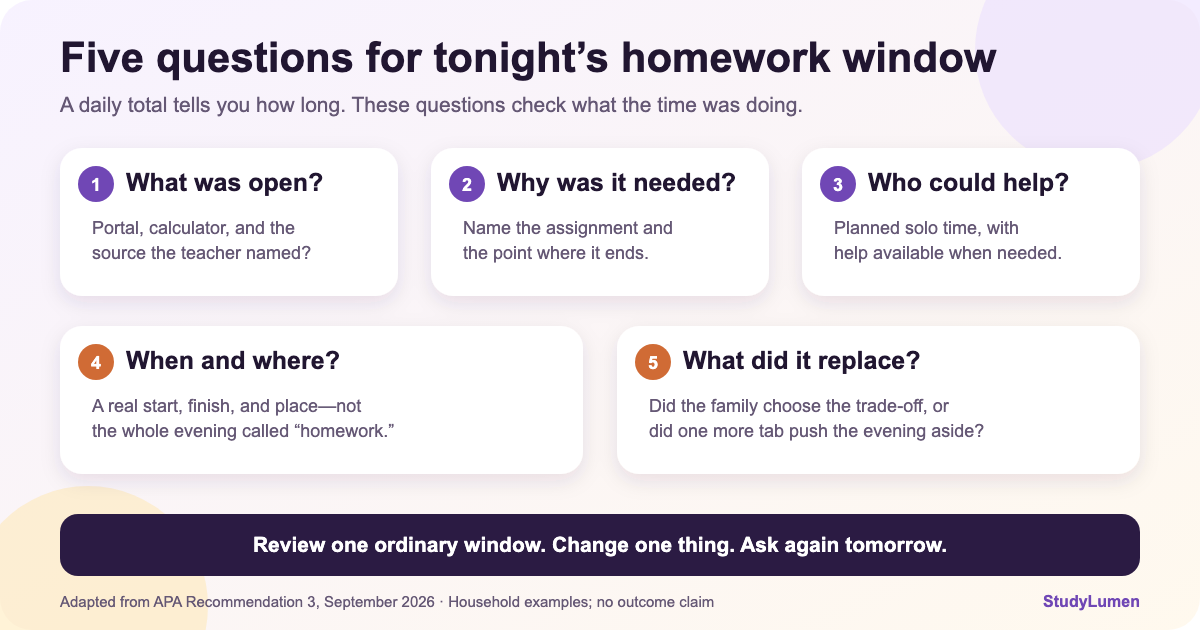
The American Psychological Association's September 2026 expert report on learning with educational technology asks adults to look beyond elapsed time. Its third recommendation treats screen time as one factor among several. For a device used at home or at school, it asks what is being used, why, who is present, when and where it is used, and what the activity may replace.
Those questions fit a problem that shows up a few weeks into school. A two-hour ceiling may be perfectly real, but it says nothing about the twenty minutes spent finding the assignment, the browser tab beside it, or the point when the child needed help and nobody knew.
The APA document is expert guidance for educational-technology decisions, not a trial of this checklist and not evidence that a particular routine changes grades. What it offers is a better way to inspect the time you already set aside.
Five questions for the window you actually have
Pick one ordinary homework period. Write what happened, not what the rule was supposed to make happen.
Five questions for reviewing one homework window
- Ask tonight
- What was open?
- A usable answer
- The school portal, calculator, and the source named by the teacher.
- A sign the window needs work
- A feed or unrelated video stayed beside the worksheet.
- Ask tonight
- Why was it needed?
- A usable answer
- “Algebra set due tomorrow; stop after problem 12.”
- A sign the window needs work
- “Homework” covered every app on the screen.
- Ask tonight
- Who could help?
- A usable answer
- A planned solo stretch, with an adult available at a known time.
- A sign the window needs work
- The student stalled and nobody noticed until the window was over.
- Ask tonight
- When and where?
- A usable answer
- A named start, finish, and place that fit today's timetable.
- A sign the window needs work
- The whole evening slowly became “maybe homework.”
- Ask tonight
- What did it replace?
- A usable answer
- The family chose when paper work, dinner, and the device would trade places.
- A sign the window needs work
- One more tab quietly pushed out the next part of the evening.
| Ask tonight | A usable answer | A sign the window needs work |
|---|---|---|
| What was open? | The school portal, calculator, and the source named by the teacher. | A feed or unrelated video stayed beside the worksheet. |
| Why was it needed? | “Algebra set due tomorrow; stop after problem 12.” | “Homework” covered every app on the screen. |
| Who could help? | A planned solo stretch, with an adult available at a known time. | The student stalled and nobody noticed until the window was over. |
| When and where? | A named start, finish, and place that fit today's timetable. | The whole evening slowly became “maybe homework.” |
| What did it replace? | The family chose when paper work, dinner, and the device would trade places. | One more tab quietly pushed out the next part of the evening. |
The answer does not have to sound ideal. “Solo until 5:15, then ask me about question six” is more useful than “supervised.” So is “the teacher assigned one video, but the recommendations kept playing.” Specific answers give you something small enough to change.
Daily limits still matter—on each device
A daily limit still has a job: it puts an edge around open-ended use. Google adds an important detail in its current Family Link screen-time help. The limit applies to each supervised Android device or Chromebook. In Google's example, a two-hour limit means two hours on the phone and another two on the Chromebook, not two hours shared between them.
Google also says Bonus time adds minutes for that day without changing the Daily Limit, Downtime, or School Time schedule. That can help when an assignment simply runs long. It will not repair an app list that never matched the assignment.
There is another wrinkle. Apps marked Unlimited do not count toward the Daily Limit and can remain available after it is reached, according to Google's app-limit instructions. A clean-looking total can therefore coexist with an always-available video app. The number is not wrong; it is answering a narrower question.
That is why a study window and an all-day limit should not be treated as interchangeable.
Pew Research Center surveyed 3,054 U.S. parents of children age 12 or younger in May 2025. In the October 2025 report, 86% said they had rules about when, where, or how screens could be used; 19% said they followed those rules all the time. Pew did not test homework routines. The figures simply show that writing a rule and living with it are different tasks.
Change one thing before tomorrow
Suppose the portal and calculator were necessary, but an open browser led to unrelated video. Tomorrow's adjustment may be a shorter list of sites, not thirty fewer minutes. If practice pushed the work too late, move the clock instead. If the assignment needs one teacher video, keep the window and make that exception explicit.
Choose one of those changes. Try it once, then ask the five questions again. Changing the time, every allowed app, and the exception process on the same night makes it hard to tell which part helped—or which part caused the next argument.
The American Academy of Pediatrics' family media-plan guidance names the beginning of a school year as a sensible time to revisit the plan. It also gives “during homework” as an example of a screen-free zone. Those are planning examples, not a requirement to make every assignment device-free. Use the version that fits the work teachers are actually sending home.
When the same window needs to repeat
A card on the fridge may be enough. If the start time, required tools, and one exception are clear—and the household can repeat them—leave the plan on paper.
When the same rules need device support, a StudyLumen routine can apply one selected rule set at its scheduled time on a supervised personal Android. Website filtering is optional. A temporary access request can cover a named need and closes at its recorded end; the temporary-access guide shows that flow.
StudyLumen does not replace Family Link's account controls, manage a school Chromebook or iPhone, or silence Android notifications. Its role here is smaller: help the household repeat the homework window it already chose.
Sources
- Children's and adolescents' learning with educational technology — American Psychological Association expert report landing page, September 2026; report and Recommendation 3 rechecked September 16, 2026
- Manage your child's screen time — Google For Families Help; per-device Daily Limits and Bonus time, checked September 16, 2026
- Set app time limits on your child's device — Google For Families Help; Unlimited apps, checked September 16, 2026
- How Parents Manage Screen Time for Kids — Pew Research Center; 3,054 U.S. parents of children age 12 or younger, fielded May 13–26, 2025
- How to Make a Family Media Plan — American Academy of Pediatrics' HealthyChildren site, updated January 20, 2026