Guide ·
Does Your Screen-Time Limit Include Homework?
Define whether homework counts against your screen-time allowance, then check whether an app setting matches that rule. Includes a simple household record.
On this page6 sections
An assigned video and an entertainment feed can use the same app. When that app reaches a daily limit, the family needs an answer to a question the timer cannot settle: does homework count against the allowance?
Write the activity rule in words, then compare it with the controls you use. A household agreement can distinguish homework from entertainment even when an app setting covers both.
Name what the limit counts
A research analysis published on 14 October 2026 makes this distinction explicit. Using ICILS 2023 student reports, Jonas Mandalunes separates limits that include schoolwork, limits that leave it outside the allowance, and no overall limit. These are reports about existing rules, rather than a trial assigning families a new rule.
For your household, state which arrangement you mean. “Two hours” alone leaves the activity question unanswered. “Homework is outside our entertainment allowance” answers it, but still needs a description of the homework use. Neither sentence decides how long an assignment should take.
You can choose the task and intended time while working out the rule. A written plan does not require an existing saved schedule.
Keep school days and other days separate
The ICILS student question concerns rules outside school and asks separately about school days and non-school days. A Saturday assignment therefore deserves its own check against the household agreement; do not assume a school-day answer applies every day.
Name the devices covered, too. If the agreement covers a phone and a laptop, a setting on the phone tells you only part of the story. Ask the school about controls on a school-managed device.
Record the rule in plain language
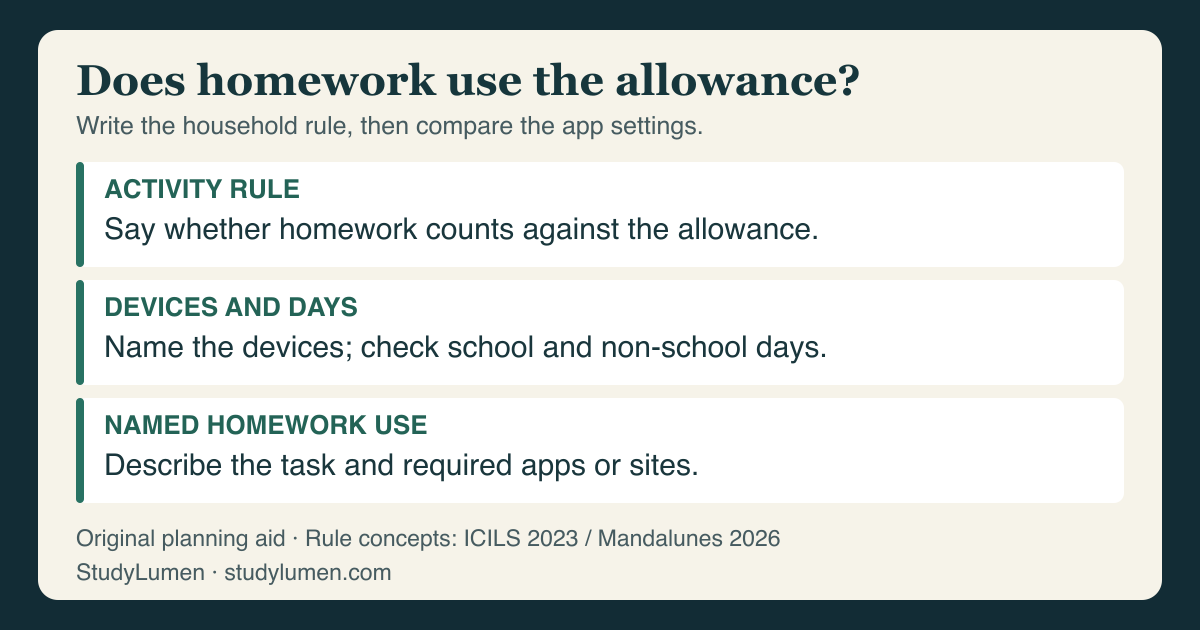
Use a short note another caregiver can understand. This is an original planning aid; it is not the research questionnaire or a tested intervention.
- Record
- Activity rule
- Write this
- Whether homework uses the allowance, sits outside it, or there is no overall allowance.
- Example
- Homework is outside the entertainment allowance.
- Record
- Devices and days
- Write this
- The devices covered and whether the rule differs on school and non-school days.
- Example
- Personal phone and laptop; check weekend assignments separately.
- Record
- Named homework use
- Write this
- The task and required apps or sites, with the household's chosen window if it uses one.
- Example
- History response: class portal and document editor.
| Record | Write this | Example |
|---|---|---|
| Activity rule | Whether homework uses the allowance, sits outside it, or there is no overall allowance. | Homework is outside the entertainment allowance. |
| Devices and days | The devices covered and whether the rule differs on school and non-school days. | Personal phone and laptop; check weekend assignments separately. |
| Named homework use | The task and required apps or sites, with the household's chosen window if it uses one. | History response: class portal and document editor. |
The examples are choices a family might make. Keep the note available to the people who share the rule, and revise it when the assignment or device changes.
Check the app setting against the activity rule
Google's Family Link app-limits guide says an app marked Unlimited does not consume the Daily Limit and remains available after that limit. That feature applies to a child signed in on Android 7 or later, except Google Kids Space.
Unlimited applies to the app. If the same app serves an assignment and entertainment, that allowance may be broader than the homework-only rule you intended. Name the required use before deciding whether the parent should change the app's setting.
Daily Limit availability also does not settle every locked-screen case. Google gives separate controls for Unlimited apps during Downtime or School time, and manual device locking has its own availability setting. Check the relevant control through Google's guide when access differs from the plan.
Carry the chosen apps into an Android routine
For a supervised personal Android phone, a supervisor can use one scheduled StudyLumen routine to apply one selected rule set during the agreed window. Homework mode explains that part of the plan. The household still decides what counts against its allowance.
When an assignment needs an extra tool briefly, a temporary access request provides access after supervisor approval, until the recorded end time. Approval changes StudyLumen's own restriction; Family Link and school access rules need attention through their own authorized controls.
Sources
- Mandalunes: the distinction between homework-inclusive and homework-exempt rules, Large-scale Assessments in Education, published 14 October 2026; analysis of ICILS 2023.
- IEA ICILS 2023 IDB User Guide Supplements, student questionnaire question 19, printed page 112.
- Google: Set app time limits on your child's device, current help for app limits and Unlimited apps.