Blog ·
December ACT Registration: Paper, Test-Center Computer or BYOD
Choose the testing arrangement for the 12 December 2026 national ACT, check who prepares the computer and keep registration, photo and readiness dates separate.
On this page6 sections
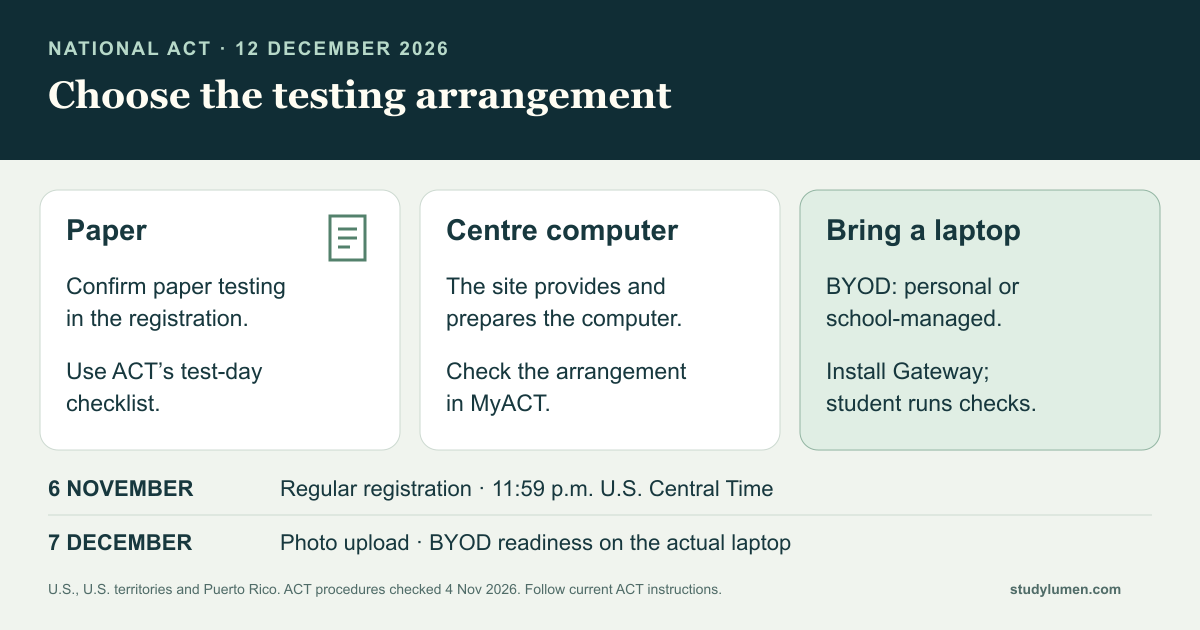
Before registering for the 12 December 2026 national ACT, settle which testing arrangement the student will use: paper, a computer provided by the test centre, or a laptop they bring. Choosing online still leaves a device question.
Regular registration closes on 6 November 2026 at 11:59 p.m. U.S. Central Time. The photo-upload and bring-your-own-device readiness checks have a later date: 7 December. Identify a suitable computer and any school help now, so the later checks have a device to run on.
This guide covers national testing in the United States, U.S. territories and Puerto Rico. For another administration, use its own ACT instructions.
Choose the test arrangement before registering
ACT offers paper testing and online testing at a test site. Online students may use a centre-provided computer or bring their own device, often shortened to BYOD. Check the options actually available in the student’s MyACT registration.
- Arrangement
- Paper
- Who prepares the computer?
- No testing computer is needed for this format.
- What the student checks
- The paper option, date and centre shown in the registration; ACT’s test-day checklist.
- Arrangement
- Test-centre computer
- Who prepares the computer?
- The site provides and prepares its testing computers.
- What the student checks
- The registration confirms a centre-provided device; follow the current account and centre instructions.
- Arrangement
- BYOD
- Who prepares the computer?
- The student brings a suitable personal or school-managed laptop. The authorized owner or school helps with installation.
- What the student checks
- ACT Gateway is installed on that actual device and the student completes its readiness checks.
| Arrangement | Who prepares the computer? | What the student checks |
|---|---|---|
| Paper | No testing computer is needed for this format. | The paper option, date and centre shown in the registration; ACT’s test-day checklist. |
| Test-centre computer | The site provides and prepares its testing computers. | The registration confirms a centre-provided device; follow the current account and centre instructions. |
| BYOD | The student brings a suitable personal or school-managed laptop. The authorized owner or school helps with installation. | ACT Gateway is installed on that actual device and the student completes its readiness checks. |
ACT’s registration page asks for a computer with internet access to register. That registration task and preparing the testing laptop are separate actions. Before the late-registration deadline, ACT permits a change among paper, online and BYOD when a seat is available; check the current change terms in MyACT.
Keep registration and readiness dates separate
For the 12 December 2026 national test, ACT’s current calendar and Gateway schedule identify these milestones:
- Milestone
- Regular registration
- Date
- 6 November 2026, 11:59 p.m. Central Time
- Action
- Complete registration for the available arrangement.
- Milestone
- Late registration
- Date
- 29 November 2026
- Action
- Use ACT’s current late-registration terms if needed; a late fee applies.
- Milestone
- Photo upload
- Date
- 7 December 2026
- Action
- Add the required photo through ACT and check its status.
- Milestone
- BYOD device readiness
- Date
- 7 December 2026
- Action
- Complete the Gateway checks on the laptop the student will bring.
| Milestone | Date | Action |
|---|---|---|
| Regular registration | 6 November 2026, 11:59 p.m. Central Time | Complete registration for the available arrangement. |
| Late registration | 29 November 2026 | Use ACT’s current late-registration terms if needed; a late fee applies. |
| Photo upload | 7 December 2026 | Add the required photo through ACT and check its status. |
| BYOD device readiness | 7 December 2026 | Complete the Gateway checks on the laptop the student will bring. |
Photo upload belongs to the student’s registration whichever testing arrangement they choose. ACT recommends completing it early. Its test-day guide says the admission ticket can be printed after the photo is uploaded and approved. Check the actual account result before marking that task complete.
For BYOD, prepare the actual laptop
ACT’s technical requirements list personal Windows laptops and MacBooks, plus school-managed Windows devices, MacBooks and Chromebooks. Personal Chromebooks, iPads and tablets are unsupported. Read the current full requirements before committing to a device; a familiar schoolwork computer is not automatically suitable.
For the laptop the student will bring, preparation follows a sequence:
- Identify the supported device and the person authorized to install software on it. For a school-managed device, contact school IT.
- Install ACT Gateway through ACT’s official student setup instructions, with the school’s help where needed.
- The student opens Gateway, signs in with their MyACT credentials and completes device readiness by 7 December. ACT says to recheck after a subsequent software change.
The school’s installation work does not replace the student’s readiness check. If the school cannot install Gateway or the device fails a requirement, contact the school or ACT promptly about a suitable arrangement. Keep school management in place while resolving the issue.
ACT’s test-day checklist calls for BYOD students to bring the fully charged laptop and its charger. Keep following the current registration and centre messages if arrangements change.
Keep a short readiness record
One household note can record the decisions without collecting passwords or a copy of the student’s identification:
- The test date, centre and confirmed paper, centre-computer or BYOD arrangement.
- For BYOD, the actual laptop, authorized installation helper and completed readiness result.
- Photo status and where the student will obtain the admission ticket.
- Any unresolved issue, the person handling it and the next action.
This note helps a caregiver follow the plan. The account and Gateway results establish completion. For accommodation or registration questions, use ACT’s help route and the student’s own approved instructions.
Give the evening phone routine its own job
The phone may hold a practice tool or a family message during preparation. Decide which tool is needed and the household’s work window. On test day, ACT requires phones and other prohibited electronics to be off and out of sight, including during breaks; follow the centre’s instructions.
If preparation uses a supervised Android phone, a StudyLumen homework routine can apply one selected app rule set during that agreed window. This manages the household phone routine; MyACT registration and Gateway preparation remain with ACT and the testing device.
An extra tool can use a temporary access request after supervisor approval, until its recorded end time. Approval changes StudyLumen access only. Other device or school controls still need attention from their own authorized manager.
Sources
- ACT national test dates. The 2026–27 national table, registration deadlines and regional scope.
- ACT registration. Registration prerequisite, testing modes and option changes.
- ACT online testing and device setup. Centre-provided and BYOD arrangements; the site’s preparation responsibility.
- ACT photo submission. Required photo and the 7 December deadline.
- ACT Gateway student resources. Installation, student checks and the 7 December readiness deadline.
- ACT Gateway technical requirements. Supported devices and the school-managed-device procedure.
- ACT test-day checklist. Laptop, charger, ticket and phone instructions.