Blog ·
Homework Without a Social Account: Make a Backup Plan
List where each assignment opens, identify tasks that depend on a social account, and ask the school for an accessible alternative when needed.
On this page6 sections
A teacher’s video link opens inside a social app. The student can see the message but cannot open the material. Before changing an account or removing a device rule, identify the assignment and ask the school for a route the student can use.
An account-free route can be worth recording even when the usual link works. It gives the family a specific question to ask if sign-in, account eligibility or access changes later.
Start with the assignment, not a platform list
On 29 October 2026, Ofcom published a rapid assessment of age assurance at 16. It says the assessment is intended to inform parliamentary debate and is not implementation guidance for services. The UK government’s fact sheet says it will provide further detail to families ahead of changes in 2027.
Those documents give context for reviewing access dependencies. They do not identify an alternative for your child’s particular assignment. Take that question to the school rather than treating a policy headline as instructions to delete an account.
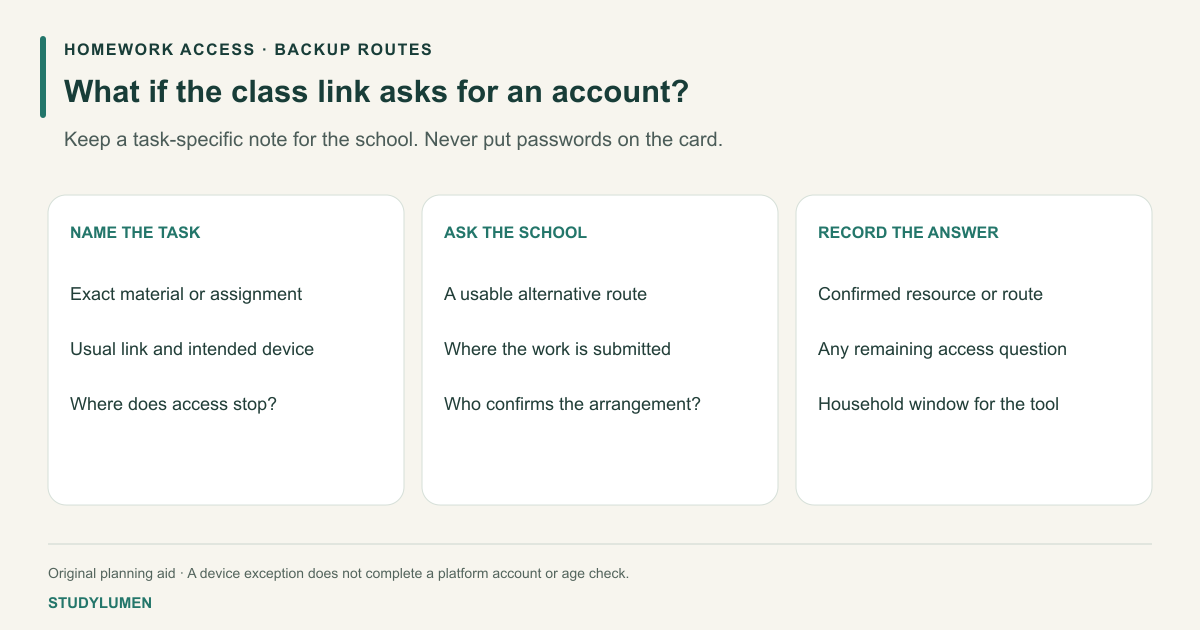
Make an access card for the actual task
Record the usual link or tool, then check what is required to reach the material. Keep passwords, identity documents and recovery answers out of the shared note.
- Task
- Read instructions
- Usual route
- School portal or printed handout
- Question to resolve
- Can the student open the instructions on the intended device?
- Task
- Watch assigned material
- Usual route
- The teacher’s exact video or lesson link
- Question to resolve
- Does it require a social account, and what school-provided alternative is available?
- Task
- Submit work
- Usual route
- The school’s stated submission route
- Question to resolve
- Where should the completed work go if the usual route is unavailable?
- Task
- Ask for help
- Usual route
- Teacher or school support contact
- Question to resolve
- Who can confirm the alternative and any device permission?
| Task | Usual route | Question to resolve |
|---|---|---|
| Read instructions | School portal or printed handout | Can the student open the instructions on the intended device? |
| Watch assigned material | The teacher’s exact video or lesson link | Does it require a social account, and what school-provided alternative is available? |
| Submit work | The school’s stated submission route | Where should the completed work go if the usual route is unavailable? |
| Ask for help | Teacher or school support contact | Who can confirm the alternative and any device permission? |
The rows are examples to adapt. A direct link may still require sign-in, and an educational label does not prove a resource works without an account. Check the actual material on the intended device before marking that route ready.
Ask for an alternative that preserves the task
A useful request names the material and the point where access stops: “The assigned clip asks for a social sign-in on the school tablet. Is there a version in the class portal or another way to complete the same task?” That gives the teacher something concrete to answer.
Record the route the school confirms. It might be a school-hosted copy, another resource or an offline task; those are possibilities to ask about, not promises that any particular option exists. Keep the original deadline and ask the teacher what to do if access is unresolved.
Avoid opening a replacement account just to get past a restriction. Follow the service’s current account requirements and the school’s instructions. For a managed device, its administrator handles settings the family cannot change.
Keep account access separate from the homework window
Once the route is usable, write the device and the period when the tool is needed. A paper access card records the plan; an authorized saved edit applies a rule in a particular app.
If the assignment needs a browser, name the site and purpose as well as the browser app. A broad app allowance may reach more than the one resource. Our app and browser blocking guide explains that distinction.
Apply the plan on a supervised Android phone
A StudyLumen homework routine applies one selected app rule set during its saved window. Use the tools and times the household has checked for the task.
An approved temporary exception changes StudyLumen access until its recorded end time. It does not complete a platform age check, sign into a school account, or remove another controller’s restriction. Resolve those access questions through the relevant service or school.
Sources
- Ofcom: rapid assessment of age assurance at 16. Published 29 October 2026; assessment purpose and linked report.
- UK government: new online rules fact sheet. Updated 18 September 2026; current statements to families, checked 3 November 2026.